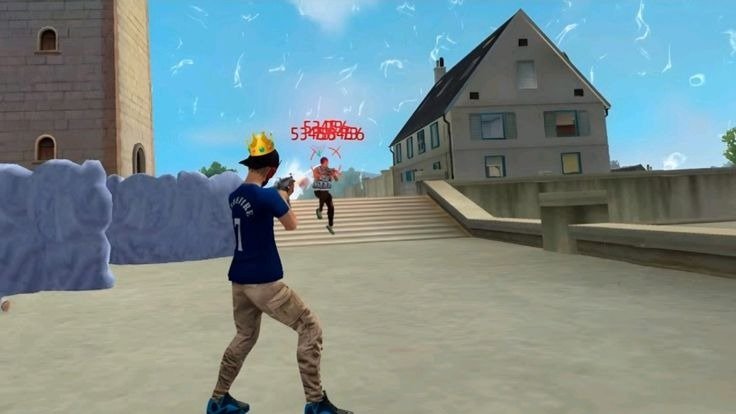
How to Get More Headshots in Free Fire: Best Headshot Tips, Settings and Aim Guide 2026
Getting consistent headshots in Free Fire is one of the most satisfying parts of the game. A well-timed headshot can change the result of a fight, especially when you are facing an opponent with better positioning or stronger equipment.
But if you have ever tried to copy a “one-tap headshot” setting from the internet, you may have discovered something frustrating: the same settings that work beautifully for one player can feel terrible for another.
There is a reason for that.
Headshot accuracy depends on much more than sensitivity. Your device, touch response, screen size, control layout, weapon choice, crosshair placement, movement, reaction time, practice routine, and even the way you swipe your finger can affect your results.
So, instead of looking for one magical setting, it is better to understand how headshots actually work in Free Fire and how to build your own consistent technique.
In this guide, we will explain how to improve headshots step by step. You will learn about sensitivity, aim placement, drag shots, one-tap techniques, close-range fights, long-range accuracy, HUD layouts, practice methods, common mistakes, and ways to improve your consistency without relying on shortcuts.
How to Get Headshots in Free Fire?
The basic idea behind a headshot is simple: your crosshair needs to reach the opponent’s head at the right moment.
For many players, the biggest mistake is trying to place the crosshair directly on the head from the beginning of every fight.
Instead, you should learn to keep your crosshair around the opponent’s upper body and then make a controlled adjustment toward the head when you fire.
This is especially useful for players learning drag-shot techniques.
A good headshot routine looks something like this:
Keep your crosshair at a useful height.
Track the opponent’s movement.
Choose the right weapon for the situation.
Fire at the correct moment.
Make a controlled upward adjustment when appropriate.
Reset your aim after the shot.
Repeat the process during practice.
It sounds easy, but doing it consistently requires muscle memory.
What Makes Headshots Difficult in Free Fire?
Before changing your sensitivity, it is important to understand why your headshots may be inconsistent.
Several factors can affect your aim:
Sensitivity settings
Touch response
Screen size
Device performance
FPS stability
HUD layout
Fire-button position
Weapon choice
Crosshair placement
Movement
Reaction time
Practice
Distance from the opponent
A player with excellent sensitivity can still miss headshots if their crosshair placement is poor.
Similarly, someone using relatively ordinary sensitivity can perform very well if they have developed strong muscle memory.
This is why improving headshots should be approached as a complete skill rather than simply changing one setting.
Best Free Fire Sensitivity for Headshots
There is no single sensitivity that guarantees headshots for every player.
However, if you want a starting configuration, you can experiment with a balanced setup such as:
| Sensitivity Setting | Starting Range |
|---|---|
| General | 90–100 |
| Red Dot | 85–95 |
| 2x Scope | 80–90 |
| 4x Scope | 70–85 |
| Sniper Scope | 45–65 |
| Free Look | 70–85 |
These values should be treated as a starting point, not a universal formula.
If your aim moves too quickly, reduce the relevant setting.
If it feels too slow, increase it gradually.
A difference of 5–10 points can sometimes change the feel considerably.
Why General Sensitivity Is Important
General Sensitivity has a major influence on normal camera movement.
It is particularly important during:
Close-range fights
Fast turns
Tracking moving players
Shotgun battles
SMG fights
Drag-shot practice
If General Sensitivity is too low, you may feel that your camera cannot keep up with fast movements.
If it is too high, small finger movements may move the crosshair farther than you intended.
For beginners, starting near the upper end of the recommended range and adjusting downward can be worth testing, but the correct value ultimately depends on your device and control style.
Best Red Dot Sensitivity for Headshots
Red Dot Sensitivity becomes important when you use a Red Dot sight.
A starting range around 85–95 can work as an experimental baseline.
If your crosshair frequently goes above the target, try lowering it slightly.
If you struggle to move the crosshair quickly enough toward the upper body or head, try increasing it.
The important thing is to avoid changing it repeatedly after every match.
Give yourself enough time to adapt.
Best 2x Scope Sensitivity
The 2x scope gives you more magnification than a Red Dot, so you may prefer slightly lower sensitivity.
A starting range around 80–90 is reasonable for testing.
Try small changes instead of large jumps.
For example:
85 → 80
or
85 → 90
Then test the difference.
Best 4x Scope Sensitivity
The 4x scope provides greater magnification, so precise movement becomes more important.
A starting range around 70–85 can be tested.
If your crosshair feels unstable while making small adjustments, lower the value.
If it feels too slow, increase it gradually.
Sniper Scope Sensitivity
Sniper gameplay requires a different type of control.
You generally want enough sensitivity to make quick adjustments while still being able to control small movements.
A starting range around 45–65 can be tested.
Players who prefer slower, more precise sniper movement may prefer the lower part of the range.
Players who frequently make fast adjustments may prefer a higher value.
Free Look Sensitivity
Free Look affects how quickly you can look around without changing your actual movement direction.
A range around 70–85 can be used as a starting point.
Free Look does not directly make your headshots better, but comfortable camera awareness can help you understand what is happening around you.
What Is a Drag Shot in Free Fire?
The drag shot is one of the techniques players commonly practice for improving headshot consistency.
The basic concept is to start your aim around the opponent’s upper body and make a controlled upward swipe while firing.
The exact movement depends on your sensitivity, weapon, distance, and HUD.
The important part is that a drag shot is not simply a huge upward swipe.
Many beginners make the mistake of dragging their finger too aggressively.
That can cause the crosshair to move past the target.
A controlled movement is usually easier to repeat.
How to Practice Drag Shots
Go into a practice environment and choose a weapon you frequently use.
Start at a comfortable distance.
Then:
Place the crosshair around the upper body.
Fire.
Make a short upward movement.
Observe where the crosshair ends.
Repeat.
Adjust your sensitivity if necessary.
Do not immediately try to perform extremely fast movements.
First learn the distance your finger needs to travel.
Once the movement becomes comfortable, gradually increase your speed.
Why Drag Shots Sometimes Go Above the Head
If your crosshair repeatedly moves above the target, one of several things may be happening.
Your sensitivity could be too high.
Your swipe could be too long.
Your starting crosshair position could be too low.
Or you may be moving your finger too quickly.
Instead of changing everything, identify which part is causing the problem.
For example, try shortening your swipe first.
If the problem continues, reduce sensitivity slightly.
Why Drag Shots Sometimes Stay on the Body
If your shots consistently remain around the body, your upward movement may not be large enough.
You can try:
Slightly increasing sensitivity
Making a slightly longer upward adjustment
Starting closer to the upper body
Practicing the movement more slowly
Do not immediately increase sensitivity to maximum.
A small change is easier to control.
Crosshair Placement: The Secret Behind Consistent Headshots
Sensitivity gets a lot of attention, but crosshair placement is arguably just as important.
Crosshair placement means keeping your crosshair in a useful position before an enemy appears.
If your crosshair is already close to head level, you have less distance to cover when the fight begins.
If your crosshair is pointed toward the ground, you have to make a much larger movement before reaching the target.
Good crosshair placement can therefore make aiming feel easier without changing your sensitivity.
Keep Your Crosshair at the Right Height
When moving through an area where an opponent may appear, avoid constantly pointing your crosshair at the ground.
Instead, keep it around the level where you expect an opponent’s upper body to appear.
This is particularly useful when:
Entering buildings
Moving around corners
Holding a doorway
Watching a common route
Preparing for a close-range fight
The less you have to move your crosshair when an opponent appears, the faster you can react.
Headshots in Close-Range Fights
Close-range combat is often chaotic.
Players move quickly, change direction, jump, crouch, and use cover.
Trying to make every movement perfect is unrealistic.
Instead, focus on three things:
1. Crosshair Position
Keep your crosshair near the opponent’s upper body.
2. Movement
Avoid standing completely still when the situation requires movement.
3. Controlled Aim
Make short, deliberate adjustments rather than constantly moving your crosshair.
Close-range fights reward reaction time and familiarity with your weapon.
How to Improve Shotgun Headshots
Shotguns require precise timing because fights can be decided quickly.
Instead of focusing only on speed, practice getting your crosshair onto the correct area before firing.
A useful training routine is:
Approach a target
Keep your crosshair around upper-body height
Move slightly
Adjust upward when necessary
Fire
Reset
The goal is to make your movement repeatable.
Don’t practice only while standing still.
Once comfortable, add movement.
SMG Headshot Tips
SMGs are useful for fast fights.
When using an SMG, tracking becomes very important.
Keep your crosshair close to the opponent while they move.
Avoid making huge swipes.
Instead, use small corrections.
If the target moves left, your crosshair should smoothly follow.
If the target changes direction, adjust without making an exaggerated movement.
Good tracking often matters more than raw sensitivity.
Assault Rifle Headshot Tips
Assault rifles can be used across a variety of distances.
For medium-range fights, focus on:
Stable crosshair placement
Controlled movement
Short adjustments
Good positioning
Appropriate scope usage
Don’t treat every fight like a close-range battle.
The farther the target is, the more important precise movement becomes.
Long-Range Headshots
Long-range headshots require a different approach.
At longer distances, tiny mistakes can become more noticeable.
Instead of making large movements, focus on small adjustments.
Take your time when the situation allows it.
You should also consider whether taking the shot is actually useful.
Sometimes the better decision is to reposition rather than repeatedly expose yourself while trying to land a difficult shot.
One-Tap Headshots: What Players Usually Mean
The phrase “one-tap headshot” is commonly used by Free Fire players to describe quickly landing a headshot with a single well-timed shot or firing action.
However, there is no universal one-tap setting that guarantees this result.
The technique depends on:
Weapon
Distance
Crosshair placement
Sensitivity
Timing
Movement
Practice
Instead of searching endlessly for a “one-tap sensitivity,” focus on learning the actual movement behind the shot.
How to Practice One-Tap Accuracy
Start with stationary targets.
Do not immediately practice against fast-moving opponents.
Your first goal is to learn the correct crosshair position.
Then add movement.
Once you are comfortable, practice against targets that change direction.
This progression makes it easier to build muscle memory.
The Importance of the Fire Button
Your Fire Button position can affect your aim technique.
If the button is too small, you may have difficulty pressing it consistently.
If it is too large, it can interfere with other controls or reduce available screen space.
Find a size and position that allows comfortable control.
Do not copy another player’s exact HUD unless it actually feels comfortable on your device.
Fire Button Size and Drag Shots
Players who practice drag shots often pay close attention to the Fire Button because the finger movement starts around this area.
A comfortable button allows you to press and move naturally.
Instead of choosing a specific size simply because it is popular, test several options.
Ask:
Can I press it comfortably?
Can I drag without losing control?
Does my finger hit the button consistently?
Does it interfere with other buttons?
The best HUD is the one you can use without thinking about it.
Best HUD for Headshots
There is no single best HUD.
A good HUD should allow you to:
Move comfortably
Fire comfortably
Scope quickly
Jump when necessary
Crouch without awkward finger movement
Access important controls
Maintain good visibility
If a button forces you to stretch your finger every time you use it, consider moving it.
Comfort matters because uncomfortable controls can interfere with consistency.
Two-Finger Players
Two-finger controls are simple and can be comfortable for beginners.
The challenge is that the same fingers may need to perform many actions.
For headshot practice, focus on making your aiming movement smooth.
Do not worry about switching to a complicated layout simply because another player uses one.
If you are comfortable with two fingers, you can still improve significantly through practice.
Three-Finger Players
Three-finger layouts provide an additional control option.
This can make some actions easier to perform simultaneously.
However, learning a new layout takes time.
If you switch to three fingers, don’t change your sensitivity at the same time unless necessary.
Otherwise, you may not know whether a problem is caused by your new HUD or sensitivity.
Four-Finger Players
Four-finger layouts can offer greater control over movement and actions.
They can be particularly useful for players who want more flexibility during fast fights.
But the learning curve can be significant.
Start slowly.
Learn the position of each button.
Practice until your fingers begin to move naturally.
Does Device Performance Affect Headshots?
Yes, your overall gaming experience can be affected by device performance.
If your game is experiencing noticeable frame drops or inconsistent performance, aiming may feel less predictable.
Before changing your sensitivity repeatedly, make sure your device is running the game as consistently as possible.
Close unnecessary background applications if appropriate.
Keep the device reasonably cool.
Use stable settings.
Remember that sensitivity cannot solve every performance problem.
Why FPS Stability Matters for Aim
Smooth gameplay helps your visual tracking feel more consistent.
If your game frequently stutters, it can become harder to track moving opponents.
That can make you think your sensitivity is wrong when the actual problem is performance.
Therefore, optimize your game experience before spending hours changing sensitivity.
Headshot Practice Routine for Beginners
If you are new to headshot practice, try this routine.
Stage 1: Stationary Targets
Practice moving the crosshair from the upper body toward the head.
Do not worry about speed.
Focus on accuracy.
Stage 2: Slow Movement
Practice against moving targets.
Track them smoothly.
Stage 3: Fast Movement
Increase the speed of the target or your own movement.
Stage 4: Realistic Fights
Practice movement, aiming, and positioning together.
This is where your skill starts becoming useful in actual matches.
A 15-Minute Daily Headshot Routine
You do not need to spend hours every day.
A focused routine can be more useful.
First 5 minutes
Practice basic crosshair placement.
Next 5 minutes
Practice controlled drag movements.
Final 5 minutes
Practice while moving.
The goal is consistency.
Don’t judge yourself based on one missed shot.
Look for patterns.
Practice Accuracy Before Speed
A common mistake is trying to become extremely fast immediately.
Speed without control usually creates inconsistent results.
First make the movement accurate.
Then gradually make it faster.
This is similar to learning any mechanical skill.
Accuracy comes first.
Speed follows with practice.
How Movement Affects Headshots
Standing still can make aiming easier, but real matches are rarely that simple.
You also need to learn how to aim while moving.
Practice:
Moving left
Moving right
Changing direction
Stopping briefly
Moving around cover
Tracking moving opponents
Your goal is to make your aim and movement work together.
Don’t Chase Every Enemy
Getting more headshots does not mean taking every possible fight.
Sometimes the smartest play is to avoid an unnecessary engagement.
Good positioning can create easier opportunities.
If you have a poor angle, moving to a better position may be more valuable than trying to force a difficult shot.
Good players do not only aim better.
They also choose better moments to fight.
Use Cover While Practicing
Practice shooting around cover rather than always standing in the open.
Cover teaches you to:
Peek carefully
Reposition
Control your exposure
Keep your crosshair ready
Reset after an engagement
This makes your practice more realistic.
Why Reaction Time Matters
A headshot can require more than mechanical aim.
You first need to recognize that an opponent is present.
Then you need to move your crosshair.
Then you need to fire.
Improving reaction time comes partly from familiarity.
The more familiar you become with common situations, the faster your brain can respond.
Improve Your Crosshair Before Your Sensitivity
If your crosshair placement is consistently poor, increasing sensitivity may not solve the problem.
Try improving your basic positioning first.
When moving through a location, keep the crosshair where an opponent is likely to appear.
This reduces the distance you need to move when the fight begins.
Why Your Aim Works in Training but Not in Matches
This happens to many players.
Training Ground is predictable.
Real matches are not.
In an actual match, you have:
Pressure
Movement
Unexpected angles
Multiple opponents
Limited information
Positioning problems
Distractions
That is why you should gradually transition from simple practice to realistic situations.
How to Stay Calm During Fights
When players panic, they often swipe too aggressively.
Their crosshair moves everywhere.
They fire too quickly.
They forget their positioning.
Try to keep your movements controlled.
If your crosshair is already near the opponent, you do not need a huge movement.
A calm, controlled response can be more effective than frantic movement.
Common Headshot Mistakes
Mistake 1: Looking at the Ground
This forces you to make a large adjustment when an opponent appears.
Mistake 2: Over-Dragging
Dragging too far can move the crosshair above the target.
Mistake 3: Using Extremely High Sensitivity
High sensitivity can feel fast but may reduce control.
Mistake 4: Copying Random Settings
A setting from another device may not suit yours.
Mistake 5: Changing Sensitivity Every Day
Your muscle memory never gets enough time to adapt.
Mistake 6: Ignoring Movement
Good aim alone is not enough.
Mistake 7: Practicing Only Stationary Targets
Real opponents move.
Mistake 8: Focusing Only on Headshots
Sometimes body shots are the practical choice, especially when the opportunity for a clean headshot is not available.
How to Improve Headshots Without Changing Sensitivity
This is an important point.
You can improve significantly without changing your settings.
Focus on:
Crosshair placement
Keep your aim around the appropriate height.
Tracking
Follow moving targets smoothly.
Timing
Fire when your crosshair is properly positioned.
Movement
Learn to move while maintaining control.
Positioning
Create situations where aiming is easier.
Practice
Repeat the same movements until they become natural.
Should You Use Third-Party Tools for Headshots?
You should avoid relying on unauthorized tools, modifications, scripts, or other methods intended to provide an unfair gameplay advantage.
Apart from creating an unhealthy reliance on shortcuts, such tools can also create account or security risks depending on what they do.
If you want better headshots, focus on legitimate in-game settings and practice.
The goal should be to improve your own skill.
Sensitivity vs Skill: Which Matters More?
Sensitivity matters, but skill matters more over the long term.
A player with a reasonably comfortable sensitivity and strong fundamentals can often outperform someone who constantly changes settings looking for a perfect configuration.
Think of sensitivity as the foundation.
Your actual improvement comes from using that foundation consistently.
A Simple Method to Build Your Own Sensitivity
Here is a practical approach.
Start with:
General: 95
Red Dot: 90
2x: 85
4x: 75
Sniper: 55
Free Look: 80
Then play and identify what feels wrong.
If the camera is too fast, reduce it.
If it is too slow, increase it.
Make changes in small steps.
Keep notes if necessary.
After you find a comfortable range, stop changing it constantly.
How to Know You Have Found a Good Sensitivity
A good sensitivity usually feels predictable.
You don’t have to think:
“How much should I move my finger?”
Your hand simply performs the movement.
You can make both small and large adjustments.
Your camera does not feel unnecessarily slow or uncontrollable.
Most importantly, you can repeat the same movement successfully.
That is a better sign than simply having a high headshot percentage in one short session.
Free Fire Headshot Tips for Beginners
If you are completely new to improving headshots, remember these simple rules:
Don’t chase maximum sensitivity.
Keep your crosshair at a useful height.
Practice short controlled movements.
Learn one weapon at a time.
Start with stationary targets.
Add movement gradually.
Don’t constantly change your settings.
Practice regularly.
Learn from missed shots.
Focus on consistency rather than flashy clips.
These fundamentals are more useful than any single sensitivity number.
Advanced Tips for Experienced Players
Once you are comfortable with the basics, start paying attention to details.
Study your missed shots
Ask yourself why you missed.
Was the crosshair too low?
Did you over-drag?
Did the enemy change direction?
Was the distance too large?
Did you fire too early?
This is much more useful than simply saying, “My sensitivity is bad.”
Practice different distances
Don’t practice only close-range fights.
Practice while moving
Your real matches will not be static.
Learn weapon behavior
Different weapons can require different aiming habits.
Improve positioning
An easier fight can be created through better positioning.
Best Way to Improve Headshots in Free Fire
If you want a simple formula, think about it like this:
Crosshair Placement + Sensitivity + Timing + Movement + Practice = Better Headshot Consistency
No single component is enough by itself.
Good sensitivity with poor crosshair placement will still produce missed shots.
Great crosshair placement with poor control can also cause problems.
The strongest improvement comes from combining all of them.
Frequently Asked Questions About Free Fire Headshots
How can I get more headshots in Free Fire?
Start by improving crosshair placement, learning controlled drag movements, using a comfortable sensitivity, and practicing regularly. Don’t depend on one “magic” sensitivity setting.
What is the best sensitivity for headshots?
There is no universal best sensitivity. A useful starting point is around 90–100 General, 85–95 Red Dot, 80–90 2x, 70–85 4x, and 45–65 Sniper, followed by small personal adjustments.
Is 100 sensitivity good for headshots?
It can be a useful starting point for General Sensitivity, but whether it works well depends on your device, touch response, HUD, and hand movement.
How do I improve one-tap headshots?
Practice keeping your crosshair near the upper body and making controlled upward adjustments when firing. Focus on accuracy before trying to increase speed.
Why does my drag shot go over the head?
Your sensitivity or swipe movement may be too aggressive. Try shortening the movement or lowering the relevant sensitivity slightly.
Why do my shots stay on the body?
Your crosshair may start too low or your upward adjustment may not be large enough. Practice the movement and make small sensitivity changes if necessary.
Is high sensitivity better for headshots?
Not automatically. High sensitivity can make fast movements easier but may also make precise control harder.
Should beginners use a high sensitivity?
Beginners should prioritize control. Start with a comfortable setting and adjust gradually rather than immediately choosing extreme values.
Does the phone affect headshot accuracy?
Yes. Touch response, screen size, FPS stability, refresh rate, and overall device performance can affect how controls feel.
Does FPS affect aiming?
Inconsistent game performance can make tracking feel less smooth. Stable performance can make aiming feel more predictable.
Is there a perfect Free Fire headshot setting?
No. Players have different devices, control layouts, hand movements, and preferences.
Can sensitivity guarantee headshots?
No. Sensitivity only affects how your input translates into camera movement. Headshots still require timing, positioning, practice, and control.
How long does it take to improve headshots?
There is no fixed timeline. Regular, focused practice is more important than the number of days. Some players adapt quickly, while others need more time to build muscle memory.
Should I change sensitivity after every match?
No. Constant changes can make it difficult to develop consistent muscle memory. Change settings only when you have identified a specific problem.
Is a two-finger HUD enough for headshots?
Yes. A two-finger setup can work well if it is comfortable for you. More fingers can provide additional control, but they are not a requirement for accurate aiming.
Final Thoughts
Learning how to get more headshots in Free Fire is not about finding a secret sensitivity number or copying another player’s settings.
The most important improvement comes from understanding your own controls.
Start with a balanced sensitivity.
Keep your crosshair at a useful height.
Practice controlled drag movements.
Learn how your finger movement translates to camera movement.
Use a comfortable HUD.
Practice at different distances.
Then gradually introduce movement and realistic fights.
Most importantly, don’t become obsessed with changing settings every time you miss a shot. Missing is part of the learning process. Instead of immediately blaming sensitivity, look at what actually happened.
Was your crosshair too low?
Did you move too far?
Did the opponent change direction?
Did you fire too early?
Was your position bad?
Once you start asking these questions, you stop depending on random sensitivity codes and start understanding your own gameplay.
The best Free Fire players are not simply players with high sensitivity. They are players who understand their controls, maintain good crosshair placement, react to situations, and practice their mechanics consistently.
So use the settings in this guide as a starting point, spend time in practice, make small adjustments, and give your hands enough time to build muscle memory.
Better headshots come from better control, not from chasing a magical number.